

Is volunteer coordination connected to our event?
Yes. Volunteer applications, shifts and check-ins support event operations. Event tasks and schedules provide the wider plan. Each module retains its own records and permissions.
Nonprofit volunteer coordination
Give coordinators a practical path from applications to approved volunteers, event shifts and check-ins. Keep volunteer work connected to the event it supports.
Core event registration has a free starting plan. Travel, CRM and expanded event tools require the appropriate plan. Nonprofit rates require eligibility verification.
Create a free account for core event registration. Paid toolkits require an eligible plan.
See the current software
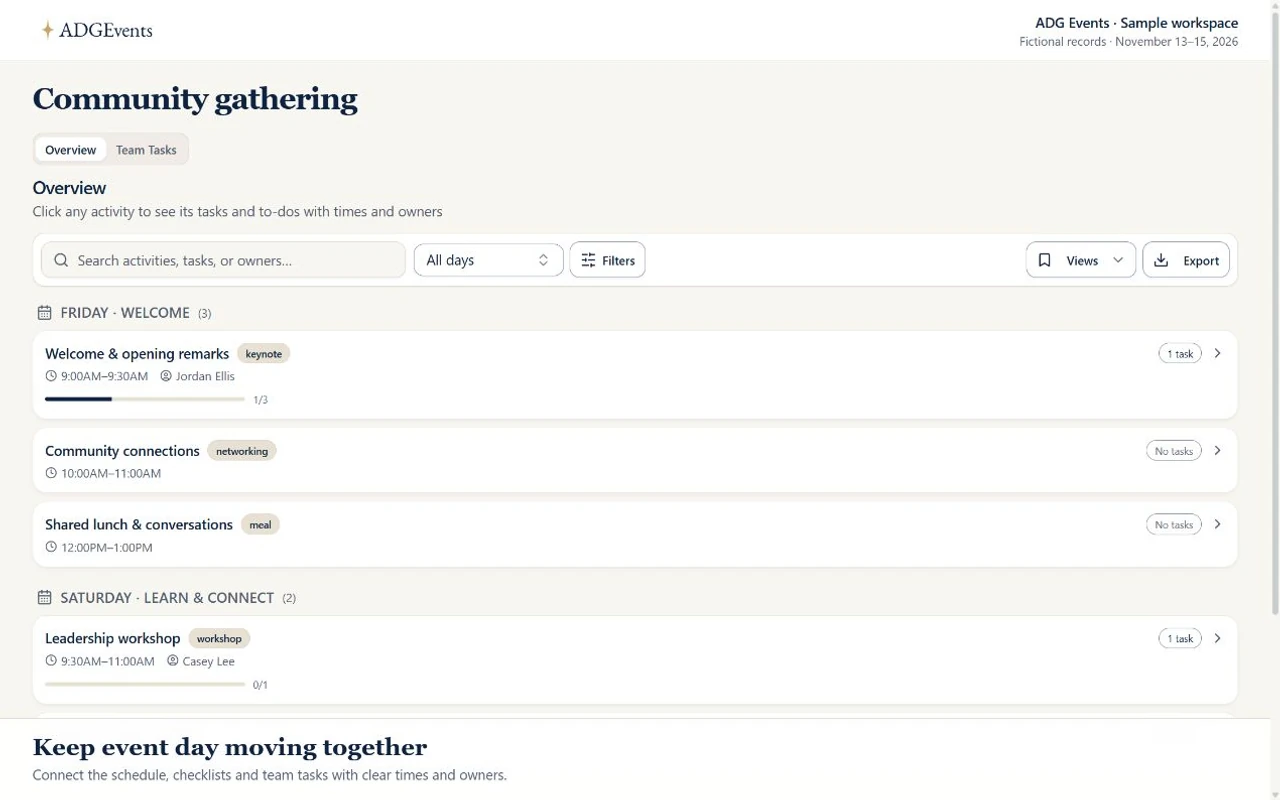
Explore scheduled activities, their to-dos and the team task board. This recording shows event task coordination; volunteer applications, approvals and shift records use their own event workflows and permissions.
Select and pay for an eligible subscription through live Stripe checkout in Settings → Billing. Enterprise billing and support terms require a separate agreement. Paid tickets require your organization’s approved live Stripe Connect account. Site fees and Stripe processing fees apply. Online event and trip donations require your configured live organization Stripe account; cash/check gifts can also be recorded. Donation acknowledgments are not tax receipts. Manage payment setup in Settings → Organization → Payments.
Collect volunteer applications and review them before approval. Use information requests to identify missing details. A coordinator remains responsible for reviewing responses and deciding whether an applicant is ready for the role.
Organize event shifts and assignments so coordinators can review who is scheduled. Use clear role names and arrival instructions for registration desks, room support, setup or other duties your program needs.
Record volunteer check-ins and use the event schedule to guide the day. Decide who handles a late arrival or an unfilled position before the event; software records support that decision but do not replace a coordinator.
Keep preparation tasks, due dates and the program schedule in the event workspace. Give leads appropriate access so they can track their own work without distributing every applicant detail to the entire team.
Set roles and permissions for the people reviewing applications and managing the event. Collect only the details needed for each role, and use approved channels for sensitive information rather than putting it in general notes.
Background checks, payroll and a dedicated volunteer credential-verification service are not included. Your organization must arrange any required screening, training and safeguarding procedures separately.
Step 1
List the roles, shift times, meeting points and responsible leads. Identify which duties require training or separate screening before asking people to apply.
Step 2
Review applications, request missing information and record approval. Coordinate assignments and share the arrival plan. Follow up with people whose responses are still missing.
Step 3
Use check-ins to record arrivals and have a lead manage changes. Afterward, gather feedback and record outstanding tasks so the next coordinator can understand what happened.
A clear starting point.
Yes. Volunteer applications, shifts and check-ins support event operations. Event tasks and schedules provide the wider plan. Each module retains its own records and permissions.
Coordinators review applications and make approval decisions. Information requests show what is missing; your team reviews responses and follows up.
The event volunteer workflows can support those programs. Define your own roles, instructions and review process, and check plan limits before recruiting a large team.
No. Background checks, payroll and dedicated volunteer credential verification are not included. Arrange required screening and training through your own processes.
Access depends on organization and event permissions. Give each person the role they need, review access before the event, and avoid collecting unnecessary personal information.
Nonprofit event management
Evaluate event operations, verification and plan choices for nonprofit teams.
Free nonprofit event planning checklist
Download phased tasks for registration, volunteers and event-day preparation.
Free run of show and cue sheet template
Give each event-day cue a time, owner and practical next action.
Compare the available features and plan limits, or talk to sales about your program before choosing a plan.
Core event registration has a free starting plan. Travel, CRM and expanded event tools require the appropriate plan. Nonprofit rates require eligibility verification.
Create a free account for core event registration. Paid toolkits require an eligible plan.