Skip to content

For event organizers

Event management software for registration, schedules and teams

The whole event, with the next handoff in view.

Bring registration, the schedule, attendee records and team tasks into one event workspace. Plan the sessions, prepare the welcome desk and keep responsibilities visible through the day.

Commercial Free: up to 2 events in your workspace, 100 attendees per event, 2 organizer seats. Verified nonprofit Free: up to 3 events in your workspace, 150 attendees per event, 3 organizer seats. Nonprofit rates require eligibility verification. Paid tickets require your organization’s approved live Stripe Connect account. Site fees and Stripe processing fees apply.

Inside ADGEventsSample workspace
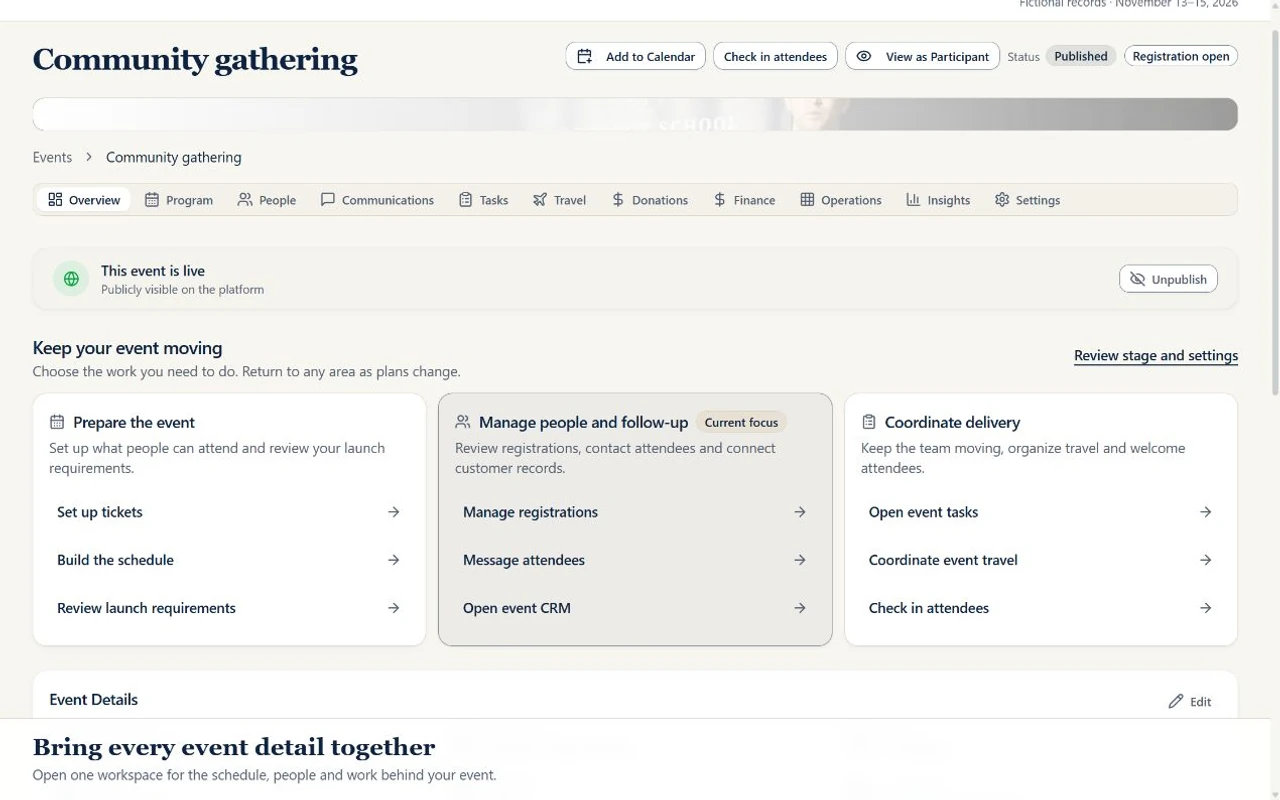
Actual ADGEvents event workspace showing a fictional community gathering
One event. A shared plan for the team.Open a sample event, review its schedule and people, then inspect an assigned task. Actual interface with fictional records.

Connect registration to the people delivering the event.

01

Prepare registration and arrival

Offer ticket choices, collect attendee details and review your roster. Give authorized staff QR check-in tools for the welcome desk.

02

Connect the schedule to the work

Review activities by day and open their linked tasks and to-dos. Keep session times, checklists and owners together instead of looking for the next handoff in separate notes.

03

Follow through with your team

Use task boards, due dates and assignment details to prepare the event. Review outstanding work and gather feedback after the gathering with the tools your plan includes.

Free registration is available. Paid tickets require your organization’s approved live Stripe Connect account. Site fees and Stripe processing fees apply. Online event and trip donations require your configured live organization Stripe account; cash/check gifts can also be recorded. Donation acknowledgments are not tax receipts. Deposits and installment payment plans are available for event registrations on plans with payment tools. Authorized staff must configure an active event payment plan and approved live Stripe Connect setup. Feature access also depends on staff permissions. Compare plan availability.

Download the run of show template →

Explore the product

See how the work connects.

Select a view to explore. Real interface. Sample data.

Give attendees a clear way in.

Offer ticket choices and collect attendee details on an event registration page. Keep registration connected to the event your team is delivering.

Inside ADGEventsSample workspace
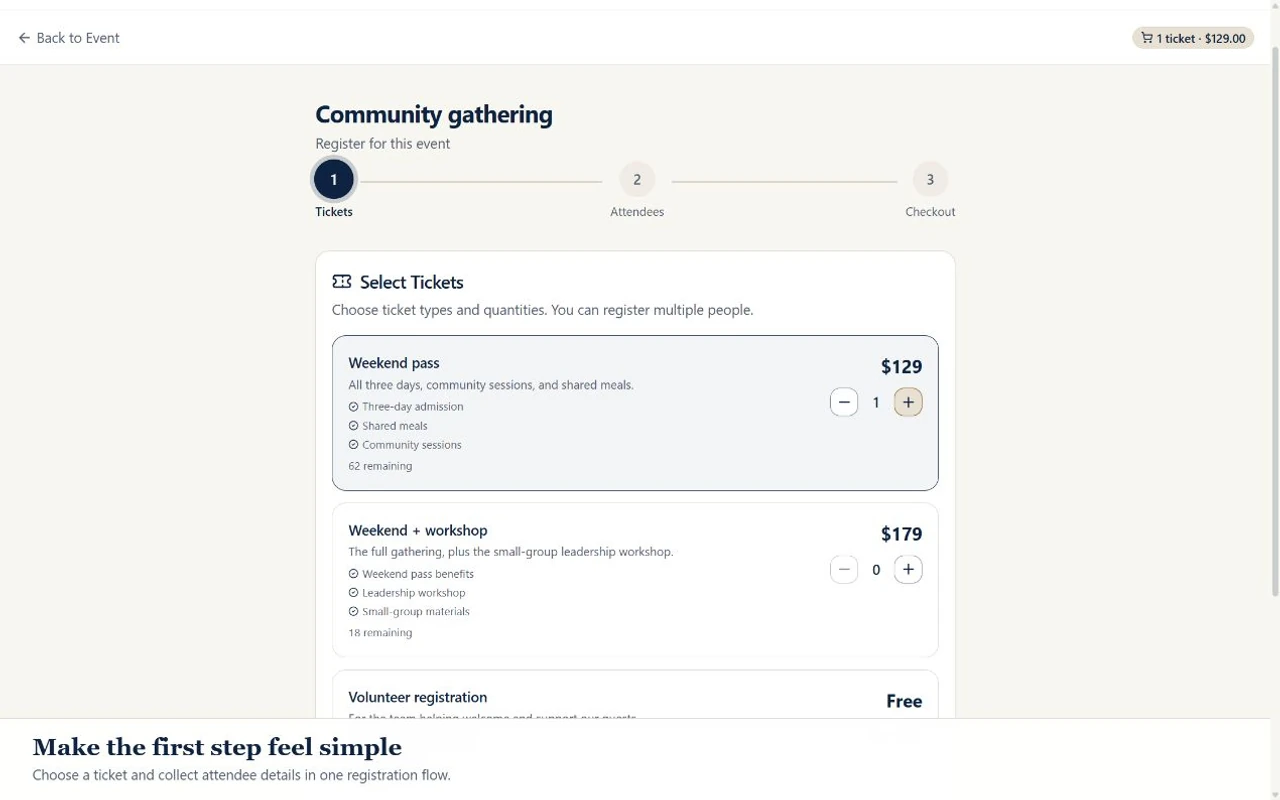
Actual ADGEvents registration screen showing ticket choices for a fictional community gathering
From ticket choices to attendee details.Choose sample tickets and continue to attendee details. No registration or payment is submitted.

Sales & Marketing CRM

Start the relationship before registration.

Track organizer and partner inquiries through your pipeline. Build audience segments for event invitations, prepare campaign drafts, and give post-event follow-up a clear owner.

Explore contacts, campaigns & follow-up →

Eligible base-plan or active CRM extra-tool access, sender setup, and audience consent apply.

A clear starting point.

Questions before you choose your workspace

What can I manage from one event workspace?

ADGEvents brings event registration, attendee records, schedules and assigned work together. Review scheduled activities, open linked checklists and to-dos, and use the task board to find owners, deadlines and instructions. Expanded tools depend on your plan and staff permissions.

Can attendees register online and check in with a QR code?

Yes. Configure event registration and ticket choices, collect attendee details, and give authorized staff access to QR check-in. Prepare publication and registration settings before inviting attendees, and test the actual check-in device and connection before the event.

Can I sell tickets with deposits or installments?

Paid tickets require your organization’s approved live Stripe Connect account. Site fees and Stripe processing fees apply. Deposits and installment payment plans are available for event registrations on plans with payment tools. Authorized staff must configure an active event payment plan and approved live Stripe Connect setup.

Can I start with a free event?

Commercial Free: up to 2 events in your workspace, 100 attendees per event, 2 organizer seats. Verified nonprofit Free: up to 3 events in your workspace, 150 attendees per event, 3 organizer seats. Nonprofit rates require eligibility verification. Free accounts cover core event registration. Compare the current plan matrix for expanded event tools, travel and CRM.

From the field

A little planning goes a long way.

All Field Notes

Practical planning guides for faith communities, travel teams, and event organizers. Explore Field Notes.

Make the plan your own. Browse free guides & templates →

Make room for the moment

Bring your next
gathering to life.

Commercial Free: up to 2 events in your workspace, 100 attendees per event, 2 organizer seats. Verified nonprofit Free: up to 3 events in your workspace, 150 attendees per event, 3 organizer seats. Nonprofit rates require eligibility verification. Paid tickets require your organization’s approved live Stripe Connect account. Site fees and Stripe processing fees apply.